

To celebrate the 25th anniversary of the Sao Mai Center for the Blind (2001-2026), we are delighted to release Sao Mai Braille (SMB) 26.11.5. This update includes a completely redesigned braille editor, a new module supporting a wide range of braille embossers, complete UI translations in all 36 supported languages, and many other important features and improvements. Highlights include EPUB and eBraille support, braille formatting styles, an accessibility checker, an updated Liblouis text translation library, MathCAT updates for reading and translating mathematical expressions, and improvements to the BungSang music braille translation engine.
Braille Editing and Embossing
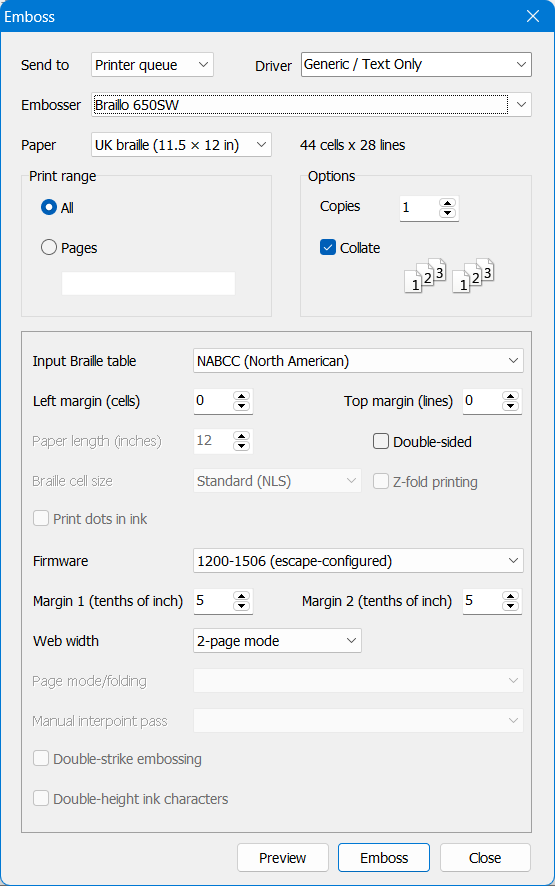
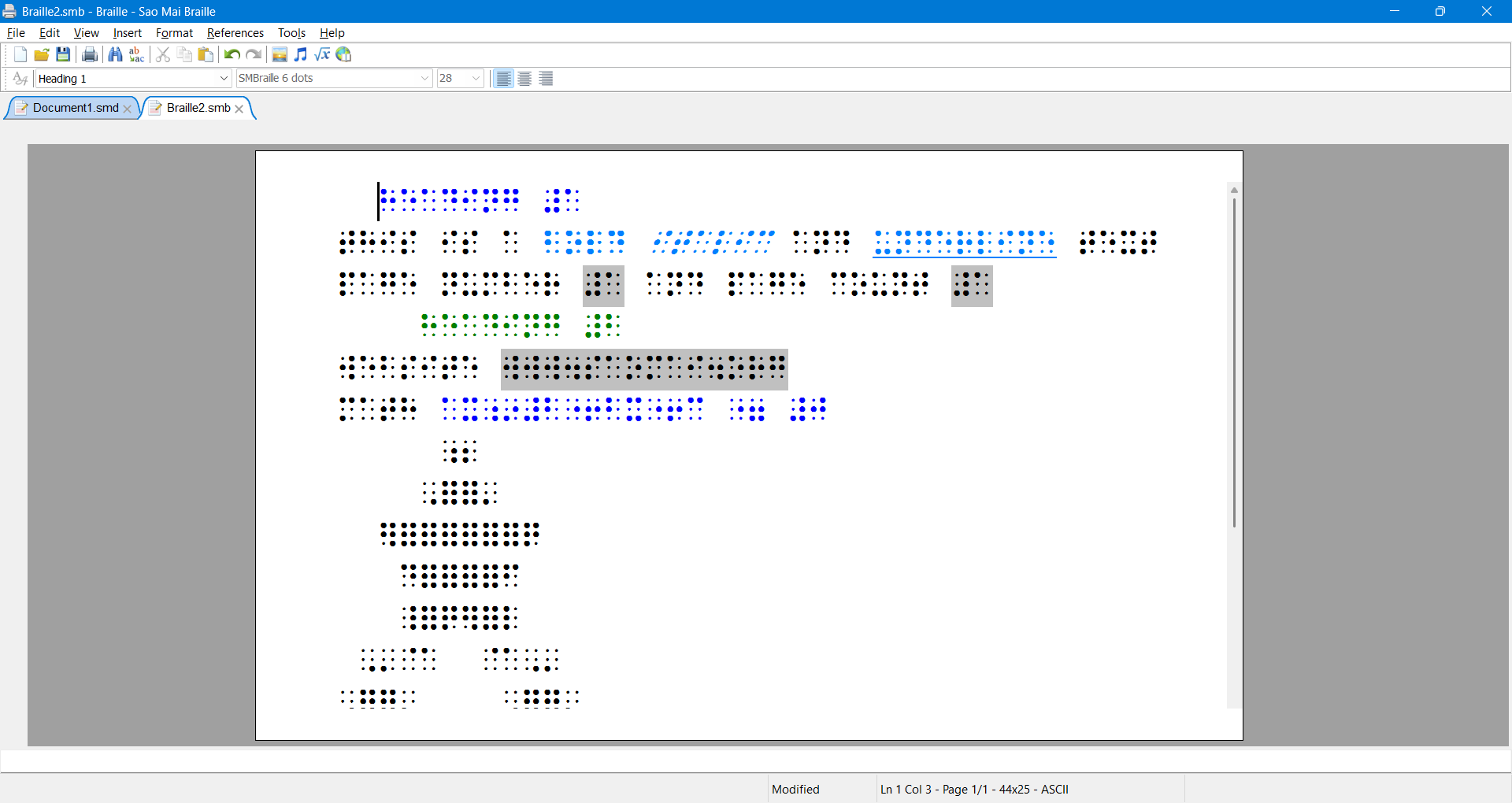
- A new, screen-reader-friendly braille editor makes it easy to format braille and immediately review the results.
- A new braille embossing management module supports a wide range of embossers and fixes printing issues from previous versions.
- In addition to the default settings in the Options dialog, you can now set the paper size, characters per line, and lines per page for each document under File → Page Setup.
- Read and write eBraille files, with basic support available in this release.
- Improved SMD-to-braille conversion for bold, italic, and underlined text; lists; tables organized by rows or columns; images; and music.
- Show or hide braille start and end indicators from the View menu.
New Tools for Print Documents
- Read and write EPUB files containing images, mathematical expressions, and MusicXML scores, along with decorative-image information, page numbers, and footnotes.
- A new accessibility checker under Tools checks heading structure, image descriptions, tables, and other document accessibility features.
- A new heading navigation pane in the View menu lets you browse and move between document headings.
- New commands to insert footnotes and endnotes.
- Add a description to an inserted music score in the score information dialog. Screen readers announce the description when the cursor reaches the score.
Braille Translation Options and Formatting Styles
The Translation Tables page in the Options dialog has been renamed “Text Braille.” It now offers filters to show 6-dot, 8-dot, or all translation tables, an option to indicate print page breaks, and a setting for the starting page number.
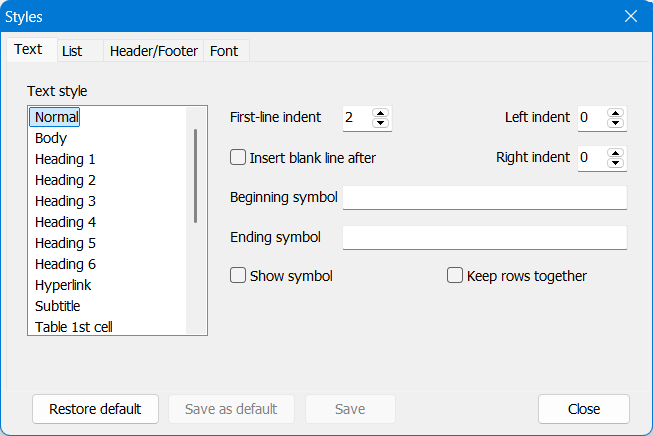
Table and table-of-contents settings remain under Styles in the Options dialog. Other formatting styles are managed through Format menu → Braille Styles, where they can be applied to individual documents or set as defaults for all documents. The dialog has four tabs:
- Text Styles: Set margins, add a blank line after a paragraph, configure start and end indicators, show or hide those indicators, and keep paragraph lines together on the same page.
- Lists: Follow BANA guidelines by default, with options to customize selected list-formatting rules.
- Headers and Footers: Configure the first, even, and odd pages separately.
- Font Attributes: Bold, italic, and underline indicators are hidden by default; you can customize the braille indicators for these attributes.
Text and Math Translation Updates
SMB now includes Liblouis 3.39 and lists all valid translation tables in the Tables folder. Users can easily update Liblouis themselves by downloading the tables folder and the 64-bit Windows DLL, then replacing the corresponding files in the SMB program folder. The DLL must be named liblouis64.dll.
MathCAT has also been updated and now supports:
- Translation into nine math braille codes: Vietnamese, UEB, Nemeth, ASCIIMath, CMU, LaTeX, Russian, French, and Swedish.
- Spoken math in 15 languages: Vietnamese, English, Polish, Portuguese, German, Hungarian, Norwegian, Indonesian, Russian, Greek, French, Finnish, Spanish, Swedish, and Traditional Chinese.
Music Braille Translation
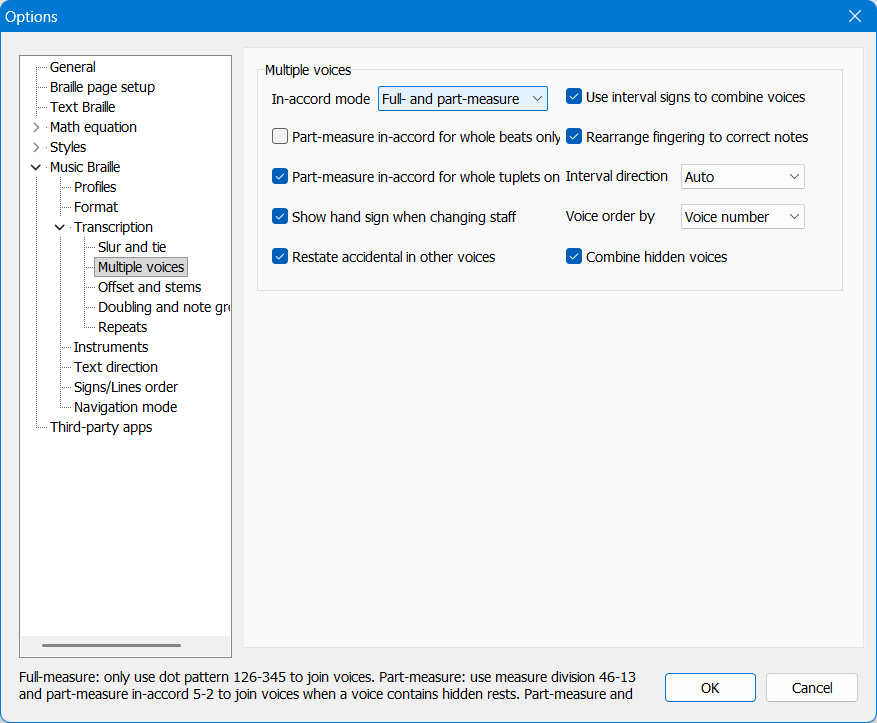
- Two new options: “Combine hidden rests” on the Format music settings page and “Check the system-text status” on the Text direction page.
- Music translation settings are now divided into several subpages, making options easier to find.
- Use stem signs to indicate note durations when system text within a measure is placed on a separate line at the beginning of a section. This setting is typically used when translating full scores.
- Updated tempo-related terms in the words dictionary file.
- Improved braille translation of glissando and slide notation for chords and long passages.
- Translate volta text (repeat-ending instructions).
- Added support for new harmonic-analysis tags in MusicXML 4.0.
- Improved notation for measure rests.
- Fixed repeated-lyrics indicators in MBC style and improved lyrics translation with contracted braille tables.
- Fixed line overflow when the runover-line indent option is set to a value greater than 0.
- Fixed an issue that caused incorrect custom page numbering when set through the Score Info dialog.
- Fixed crashes that occurred when translating certain scores.
Download Sao Mai Braille 26.11.5
Download the new version and learn more at: https://saomaicenter.org/en/smsoft/smb
Share via:
EmailFacebookTwitterGoogleLinkedin